
Panels and reusable layouts
A panel is a layout context
Abschnitt betitelt „A panel is a layout context“A <panel> changes the coordinate origin and available rectangle for its children. It is not itself a coloured GUI widget. Add an eRectangle, eLabel or pixmap if a visible background is required.
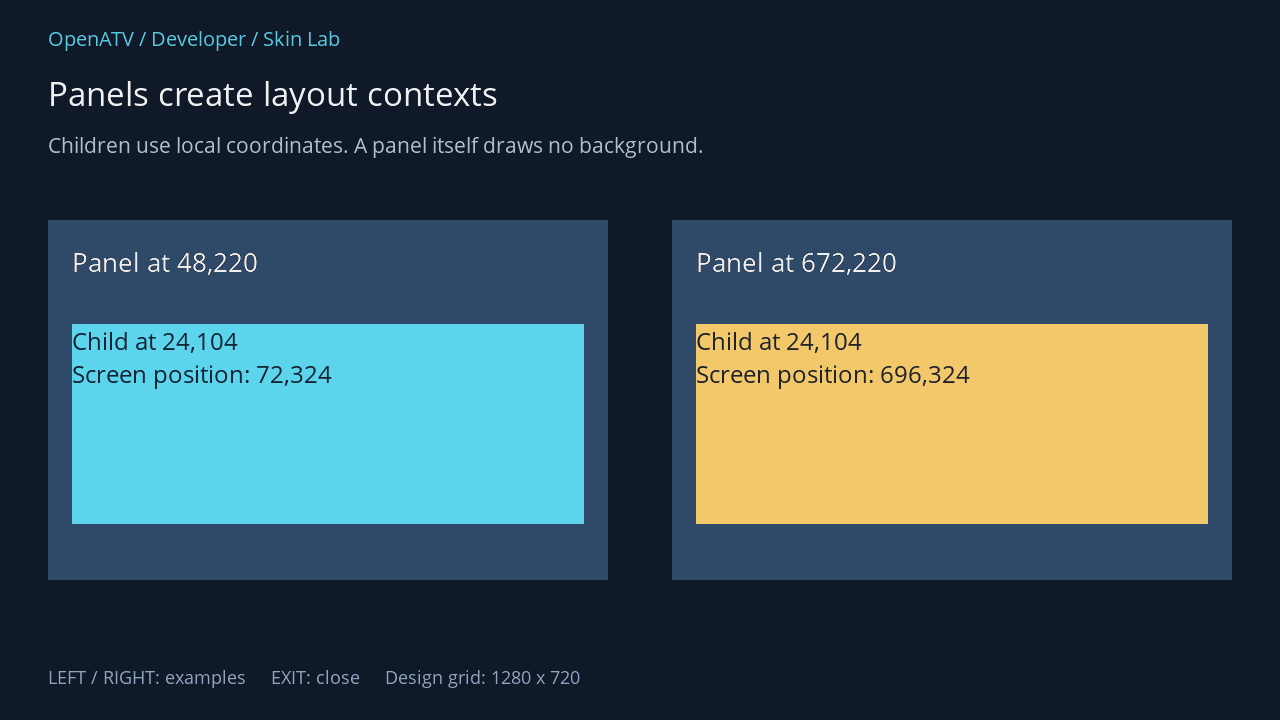
XML used for this result (inside the complete example screen):
<panel position="48,220" size="560,360"> <eLabel position="0,0" size="560,360" backgroundColor="#002F4968" /> <eLabel position="24,24" size="512,60" font="Regular;28" text="Panel at 48,220" foregroundColor="#00FFFFFF" transparent="1" /> <eLabel position="24,104" size="512,200" font="Regular;26" text="Child at 24,104 Screen position: 72,324" foregroundColor="#00101928" backgroundColor="#005BD4EC" /> </panel> <panel position="672,220" size="560,360"> <eLabel position="0,0" size="560,360" backgroundColor="#002F4968" /> <eLabel position="24,24" size="512,60" font="Regular;28" text="Panel at 672,220" foregroundColor="#00FFFFFF" transparent="1" /> <eLabel position="24,104" size="512,200" font="Regular;26" text="Child at 24,104 Screen position: 696,324" foregroundColor="#00101928" backgroundColor="#00F3C86A" /> </panel>Download complete panels.xml · Download all examples and the test plugin
Panel children are laid out into the surrounding screen. Do not assume a panel is a separate clipping container like an HTML element with overflow hidden. Keep child geometry inside its intended bounds and check overlapping layers.
Reuse a named definition
Abschnitt betitelt „Reuse a named definition“<skin> <screen name="LabHeading"> <eLabel position="0,0" size="600,50" font="Regular;30" text="Reusable heading" transparent="1" /> </screen> <screen name="MyScreen" position="center,center" size="700,300" resolution="1280,720" title="Panel example"> <panel name="LabHeading" position="30,25" size="600,50" /> </screen></skin>Here name="LabHeading" refers to a registered named screen definition. It does not open a second Python dialog. Include only components available in the owning Python screen. Recursive named-panel references must be avoided.
Flow and stacking contexts
Abschnitt betitelt „Flow and stacking contexts“The source supports panel layout values such as stack, vertical and horizontal. Edge positions can consume remaining space in a normal context; the stack context leaves the available rectangle unchanged. SkinContextVertical and SkinContextHorizontal implement flow-specific placement.
Begin with the explicit positions shown above. Flexible flow, the separate native <eStack> widget and list templates have additional semantics and will receive their own advanced recipes. Their classes are already discoverable in the API index.