
Coordinates, size and resolution
The coordinate system
Abschnitt betitelt „The coordinate system“position="x,y" identifies the top-left corner. size="width,height" defines the rectangle. The origin is at the top left, positive x moves right, and positive y moves down. Child positions are relative to their current screen or panel context.
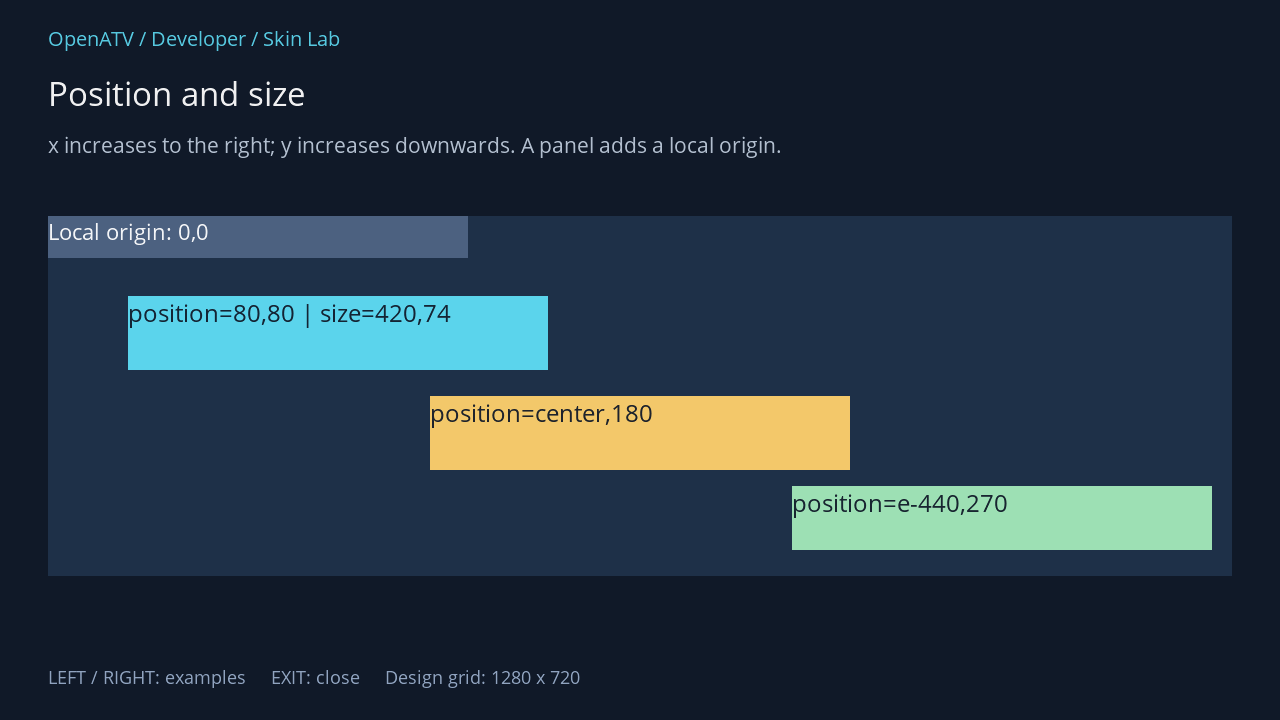
XML used for this result (inside the complete example screen):
<panel position="48,216" size="1184,360"> <eLabel position="0,0" size="1184,360" backgroundColor="#001E3048" /> <eLabel position="0,0" size="420,42" font="Regular;24" text="Local origin: 0,0" foregroundColor="#00FFFFFF" backgroundColor="#004C6180" /> <eLabel position="80,80" size="420,74" font="Regular;26" text="position=80,80 | size=420,74" foregroundColor="#00101928" backgroundColor="#005BD4EC" /> <eLabel position="center,180" size="420,74" font="Regular;26" text="position=center,180" foregroundColor="#00101928" backgroundColor="#00F3C86A" /> <eLabel position="e-440,270" size="420,64" font="Regular;26" text="position=e-440,270" foregroundColor="#00101928" backgroundColor="#009DE0B4" /> </panel>Download complete coordinates.xml · Download all examples and the test plugin
Relative expressions
Abschnitt betitelt „Relative expressions“| Value | Meaning on one axis | Example in a parent 1000 wide with a child 200 wide |
|---|---|---|
40 |
Fixed design coordinate, scaled with the screen | 40 at 1:1 scale |
center |
Centre the whole child | (1000 − 200) / 2 = 400 |
c |
The parent’s centre point | 500; using it as x places the child’s left edge there |
e |
Parent’s extent/end | 1000 |
e-220 |
Leave a 20-pixel right margin for a 200-pixel child | 780 |
25% |
Quarter of the parent extent | 250 |
center+20 |
Centred child plus an offset | 420 at 1:1 scale |
These expressions are parsed by parseCoordinate. The exact context matters: font-relative w/h terms use registered alias metrics, not the measured length of an arbitrary string. The * wildcard is for contexts that support flexible layout; it is not a substitute for every size. Start with explicit sizes before using automatic layouts.
HD, FHD and WQHD
Abschnitt betitelt „HD, FHD and WQHD“The examples declare resolution="1280,720". That is the design grid, independent of the HDMI video signal. When the desktop is larger, Enigma2 derives x/y scale ratios from the desktop and the declared resolution.
| Design grid | Desktop | Scale for ordinary coordinates |
|---|---|---|
| 1280 × 720 | 1280 × 720 | 1.0 |
| 1280 × 720 | 1920 × 1080 | 1.5 |
| 1280 × 720 | 2560 × 1440 | 2.0 |
The receiver screenshots in this unit were captured at 1280 × 720. The larger sizes in this table explain the scaling model; they are not additional receiver test results. Fonts are scaled vertically; many individual attributes have their own scaling code. Do not assume every integer attribute is scaled identically.
Changing resolution on a screen changes its coordinate interpretation. A skin-wide <output><resolution … /></output> can change the desktop itself. The test plugin only declares screen resolution and leaves the active skin’s desktop setting alone.
Avoid manually multiplying coordinates with getSkinFactor() and also declaring a scaled screen resolution: that can apply scaling twice. getSkinFactor() is explicitly deprecated for OpenATV in this source revision.
Practical layout checks
Abschnitt betitelt „Practical layout checks“Keep related widgets inside a consistent grid, allow text expansion, and check both long and empty strings. A correctly positioned rectangle can still have clipped text if its height is too small. Use alignment and text options to control the content inside it.