
Build a reusable screen design with panels
Named panels let a skin keep one definition of a recurring layout. A shared header can establish the same title position, font, accent colour and padding across a channel list, library and detail page. Changing that definition updates each screen that includes it.
Define the reusable part once
Abschnitt betitelt „Define the reusable part once“A named screen can serve as a panel definition without being opened as an independent Python screen. The lab calls its shared header HandbookLabHeader and its shared footer HandbookLabFooter. These names are also the identifiers used by the panel includes:
<skin> <screen name="HandbookLabHeader" resolution="1280,720"> <eRectangle position="0,0" size="1184,76" backgroundColor="#00263850" /> <widget source="pageTitle" render="Label" position="24,16" size="1136,46" font="Regular;30" foregroundColor="#005BD4EC" transparent="1" zPosition="2" /> </screen> <screen name="HandbookLabFooter" resolution="1280,720"> <eRectangle position="0,0" size="1184,56" backgroundColor="#00263850" /> <widget source="keyHint" render="Label" position="24,10" size="1136,36" font="Regular;22" foregroundColor="#00FFFFFF" transparent="1" zPosition="2" /> </screen></skin>Put definitions in the skin’s loaded XML files. A panel file that exists on disk but is never loaded contributes no named screens. Use a prefix to avoid collisions with another plugin or skin part.
Establish a source contract
Abschnitt betitelt „Establish a source contract“Both example owners provide the same local source names with different values:
self["pageTitle"] = StaticText("Library")self["keyHint"] = StaticText("OK: open / EXIT: close")The detail screen instead supplies Programme details and its own button hint. The panel reads the owning screen’s namespace; it does not create a private Python screen, action map or separate source dictionary. Named GUI components inside a shared panel have the same constraint: each owner must supply those names with suitable types.
Reuse it in two screens
Abschnitt betitelt „Reuse it in two screens“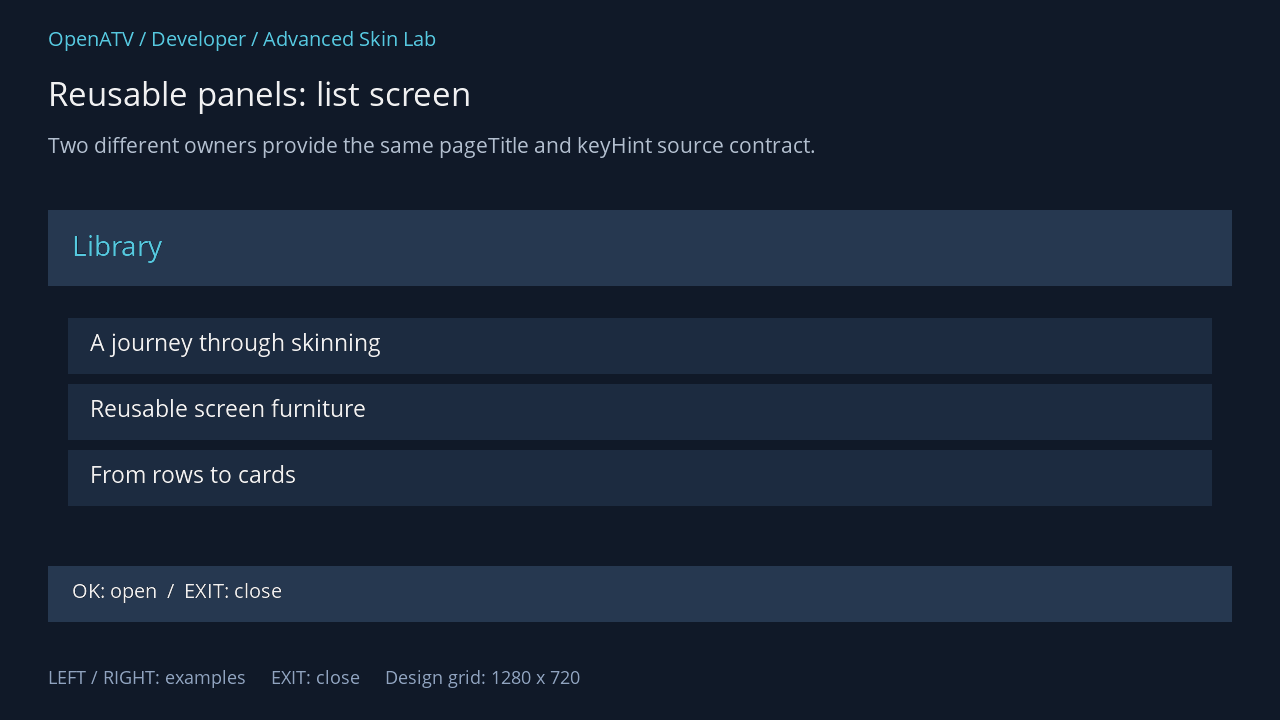
XML used for this result (inside the complete example screen):
<panel name="HandbookLabHeader" position="48,210" size="1184,76" /> <eRectangle position="68,318" size="1144,56" backgroundColor="#001C2B40" zPosition="0" /><eLabel position="90,326" size="1100,40" font="Regular;25" text="A journey through skinning" foregroundColor="#00FFFFFF" transparent="1" zPosition="2" /><eRectangle position="68,384" size="1144,56" backgroundColor="#001C2B40" zPosition="0" /><eLabel position="90,392" size="1100,40" font="Regular;25" text="Reusable screen furniture" foregroundColor="#00FFFFFF" transparent="1" zPosition="2" /><eRectangle position="68,450" size="1144,56" backgroundColor="#001C2B40" zPosition="0" /><eLabel position="90,458" size="1100,40" font="Regular;25" text="From rows to cards" foregroundColor="#00FFFFFF" transparent="1" zPosition="2" /> <panel name="HandbookLabFooter" position="48,566" size="1184,56" />Download complete panel-list.xml · Download all examples and the test plugin
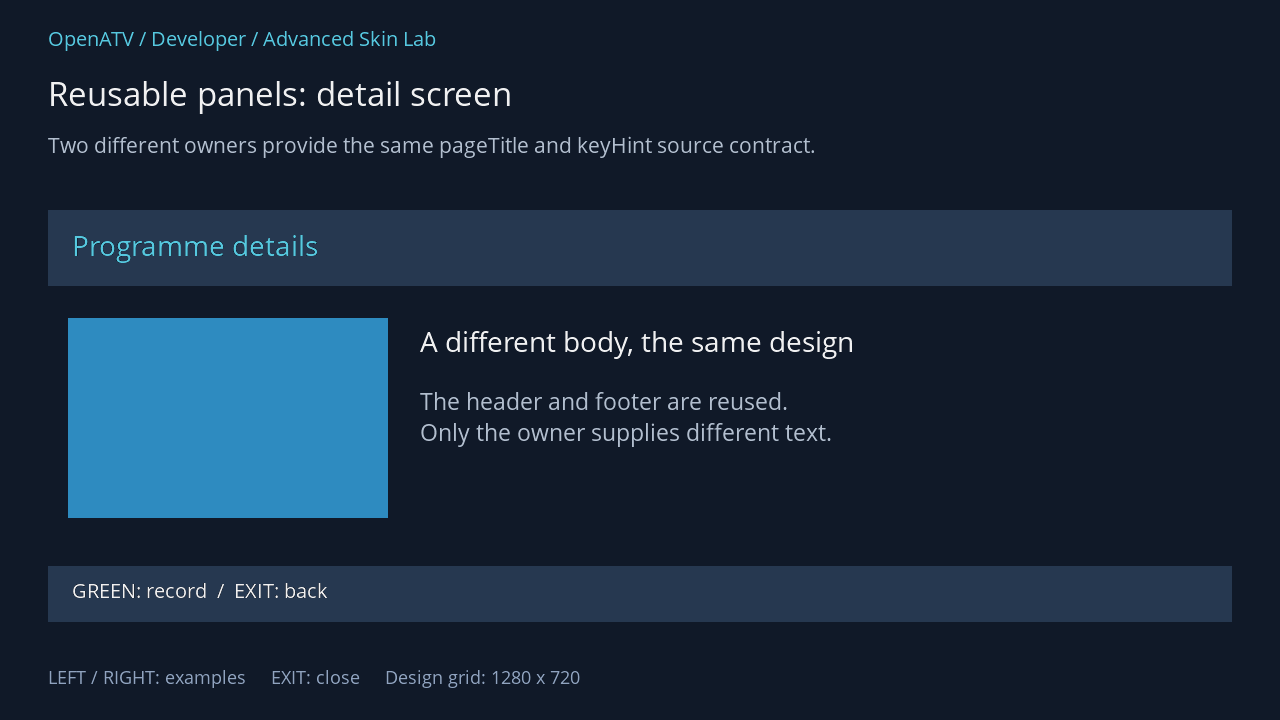
XML used for this result (inside the complete example screen):
<panel name="HandbookLabHeader" position="48,210" size="1184,76" /> <eRectangle position="68,318" size="320,200" backgroundColor="#002E8BC0" zPosition="0" /><eLabel position="420,322" size="760,50" font="Regular;30" text="A different body, the same design" foregroundColor="#00FFFFFF" transparent="1" zPosition="2" /><eLabel position="420,385" size="760,100" font="Regular;25" text="The header and footer are reused. Only the owner supplies different text." foregroundColor="#00BDCADA" transparent="1" zPosition="2" /> <panel name="HandbookLabFooter" position="48,566" size="1184,56" />Download complete panel-detail.xml · Download all examples and the test plugin
With explicit position and size on the panel call, child coordinates are relative to that include context. The size defines the available layout context; it does not automatically stretch every fixed coordinate of the referenced design. To support another width, write the panel with suitable relative positioning or maintain a clearly defined resolution variant.
Organise a complete skin
Abschnitt betitelt „Organise a complete skin“Useful reusable parts include headers, coloured-button footers, service identity, event details, status strips and background frames. Keep each part cohesive and give it a documented contract: required source/component names, expected area, font aliases and asset paths.
A practical layout can be organised as follows:
skin.xml colours, fonts, common panels, screen definitionsskinTemplates.xml modern channel-list item stylesmySkin/skin_*.xml optional loaded skin partsfonts/ fonts shipped with this skin, if anyimages/ suitable raster/vector assetsThese are organisational choices, not a requirement to use those exact subdirectory names. The file-loading chapter explains which locations Enigma2 actually loads and how paths are resolved.
What panels make faster
Abschnitt betitelt „What panels make faster“They reduce duplicated XML, repeated edits and the time needed to build consistent screens. They do not promise a faster frame rate or fewer native widgets: the panel’s children are expanded into each owner, and their sources/renderers still update normally. A very large panel included everywhere can add unnecessary work.
Avoid circular panel references, duplicate named widgets within one owner, and implicit dependencies on a component that only one screen creates. A common source can feed multiple renderer widgets; a single named GUI component should not be placed repeatedly as though each placement created another object.
Normal screen panels and service-list template panels use different parsers. Reuse the design idea across both, while writing each in the correct XML vocabulary.
Source: readSkin/processPanel, screen ownership.