
Colours, transparency, layers and borders
Enigma2 colour notation
Abschnitt betitelt „Enigma2 colour notation“Use a registered colour name or #AARRGGBB. In Enigma2 colour strings, the alpha byte represents transparency: 00 is opaque and FF is fully transparent. #00FFFFFF is opaque white; #00000000 is opaque black. This is different from many web graphics APIs.
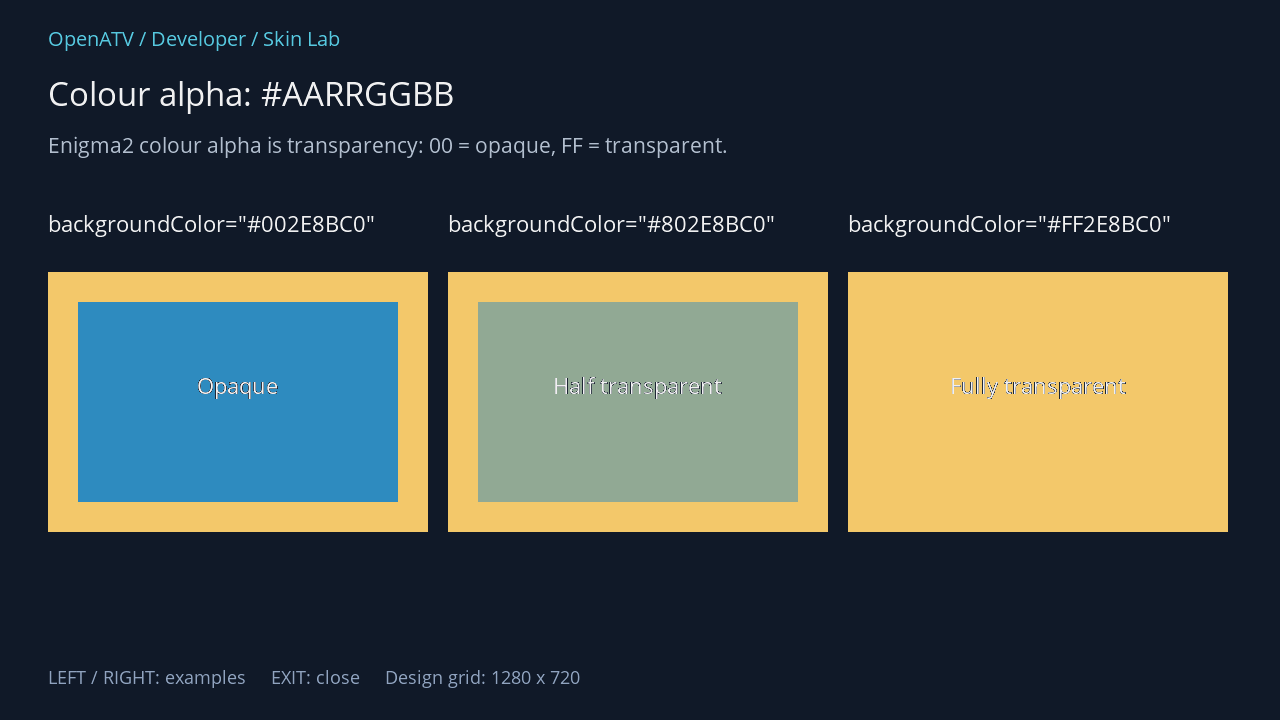
XML used for this result (inside the complete example screen):
<eLabel position="48,208" size="380,46" font="Regular;24" text='backgroundColor="#002E8BC0"' foregroundColor="#00FFFFFF" transparent="1" /> <eRectangle position="48,272" size="380,260" backgroundColor="#00F3C86A" zPosition="0" /> <eRectangle position="78,302" size="320,200" backgroundColor="#002E8BC0" zPosition="1" alphaBlend="1" /> <eLabel position="84,370" size="308,70" font="Regular;24" text="Opaque" foregroundColor="#00FFFFFF" transparent="1" zPosition="2" horizontalAlignment="center" /> <eLabel position="448,208" size="380,46" font="Regular;24" text='backgroundColor="#802E8BC0"' foregroundColor="#00FFFFFF" transparent="1" /> <eRectangle position="448,272" size="380,260" backgroundColor="#00F3C86A" zPosition="0" /> <eRectangle position="478,302" size="320,200" backgroundColor="#802E8BC0" zPosition="1" alphaBlend="1" /> <eLabel position="484,370" size="308,70" font="Regular;24" text="Half transparent" foregroundColor="#00FFFFFF" transparent="1" zPosition="2" horizontalAlignment="center" /> <eLabel position="848,208" size="380,46" font="Regular;24" text='backgroundColor="#FF2E8BC0"' foregroundColor="#00FFFFFF" transparent="1" /> <eRectangle position="848,272" size="380,260" backgroundColor="#00F3C86A" zPosition="0" /> <eRectangle position="878,302" size="320,200" backgroundColor="#FF2E8BC0" zPosition="1" alphaBlend="1" /> <eLabel position="884,370" size="308,70" font="Regular;24" text="Fully transparent" foregroundColor="#00FFFFFF" transparent="1" zPosition="2" horizontalAlignment="center" />Download complete colors.xml · Download all examples and the test plugin
alphaBlend="1" enables native widget blending in the illustrated rectangle case. It matters when a partly transparent shape should mix with an already drawn OSD layer. The result can also depend on the particular widget and painting path.
Suppressing a label background
Abschnitt betitelt „Suppressing a label background“transparent="1" tells the widget not to paint its usual background. It does not make its text disappear and is not a replacement for every colour-alpha or pixmap-alpha setting.
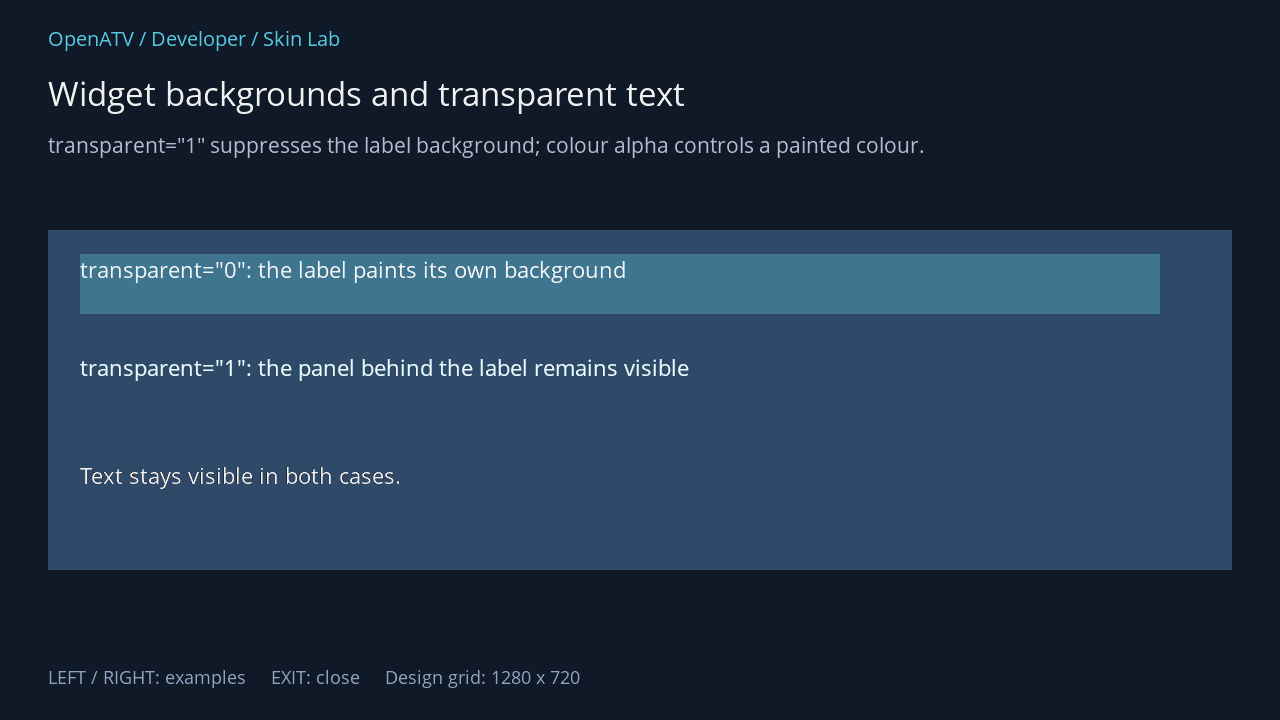
XML used for this result (inside the complete example screen):
<eRectangle position="48,230" size="1184,340" backgroundColor="#002F4968" /> <eLabel position="80,254" size="1080,60" font="Regular;24" text='transparent="0": the label paints its own background' foregroundColor="#00FFFFFF" backgroundColor="#003F758E" transparent="0" /> <eLabel position="80,352" size="1080,60" font="Regular;24" text='transparent="1": the panel behind the label remains visible' foregroundColor="#00FFFFFF" backgroundColor="#003F758E" transparent="1" /> <eLabel position="80,460" size="1080,60" font="Regular;24" text="Text stays visible in both cases." foregroundColor="#00FFFFFF" transparent="1" />Download complete progress.xml · Download all examples and the test plugin
Overlapping widgets
Abschnitt betitelt „Overlapping widgets“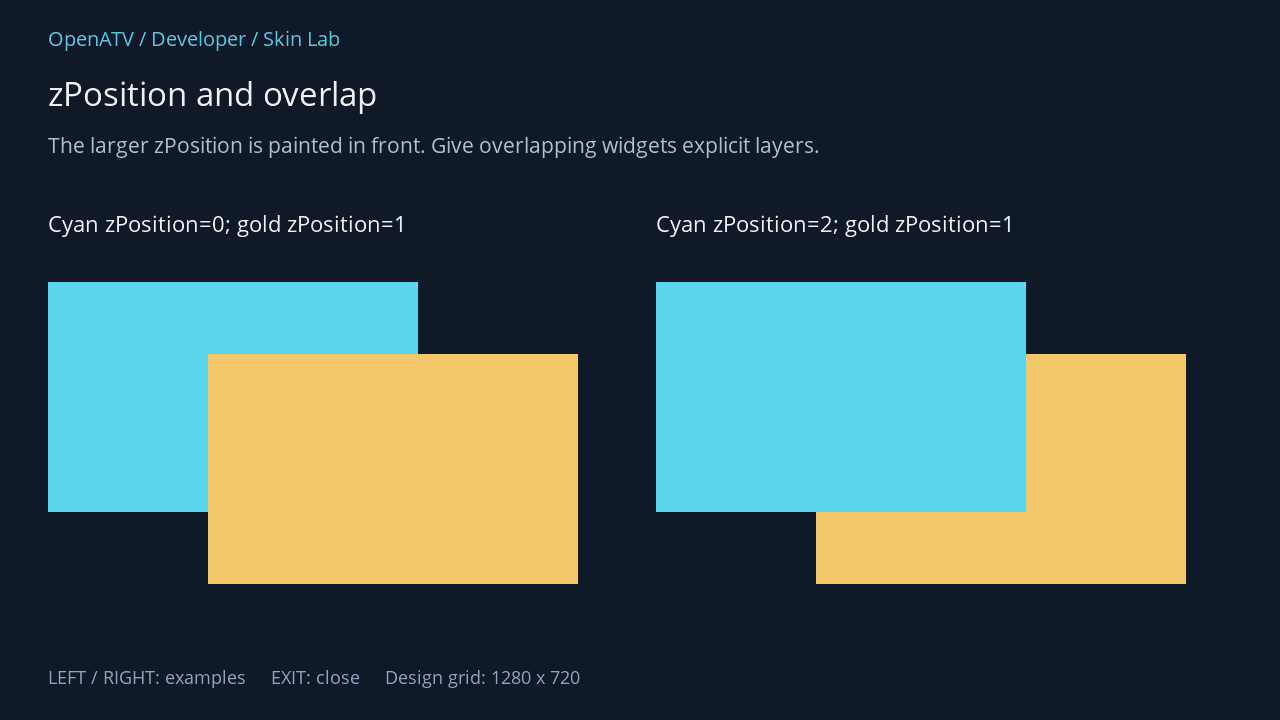
XML used for this result (inside the complete example screen):
<eLabel position="48,208" size="560,42" font="Regular;24" text="Cyan zPosition=0; gold zPosition=1" foregroundColor="#00FFFFFF" transparent="1" /> <eRectangle position="48,282" size="370,230" backgroundColor="#005BD4EC" zPosition="0" /> <eRectangle position="208,354" size="370,230" backgroundColor="#00F3C86A" zPosition="1" /> <eLabel position="656,208" size="560,42" font="Regular;24" text="Cyan zPosition=2; gold zPosition=1" foregroundColor="#00FFFFFF" transparent="1" /> <eRectangle position="656,282" size="370,230" backgroundColor="#005BD4EC" zPosition="2" /> <eRectangle position="816,354" size="370,230" backgroundColor="#00F3C86A" zPosition="1" />Download complete layers.xml · Download all examples and the test plugin
Set explicit zPosition values when a dynamic widget must appear over decoration. Do not depend on XML order alone: GUI components, renderers and additional decorative widgets are created through different paths. A higher layer does not move a widget or increase its size.
Borders, corners and gradients
Abschnitt betitelt „Borders, corners and gradients“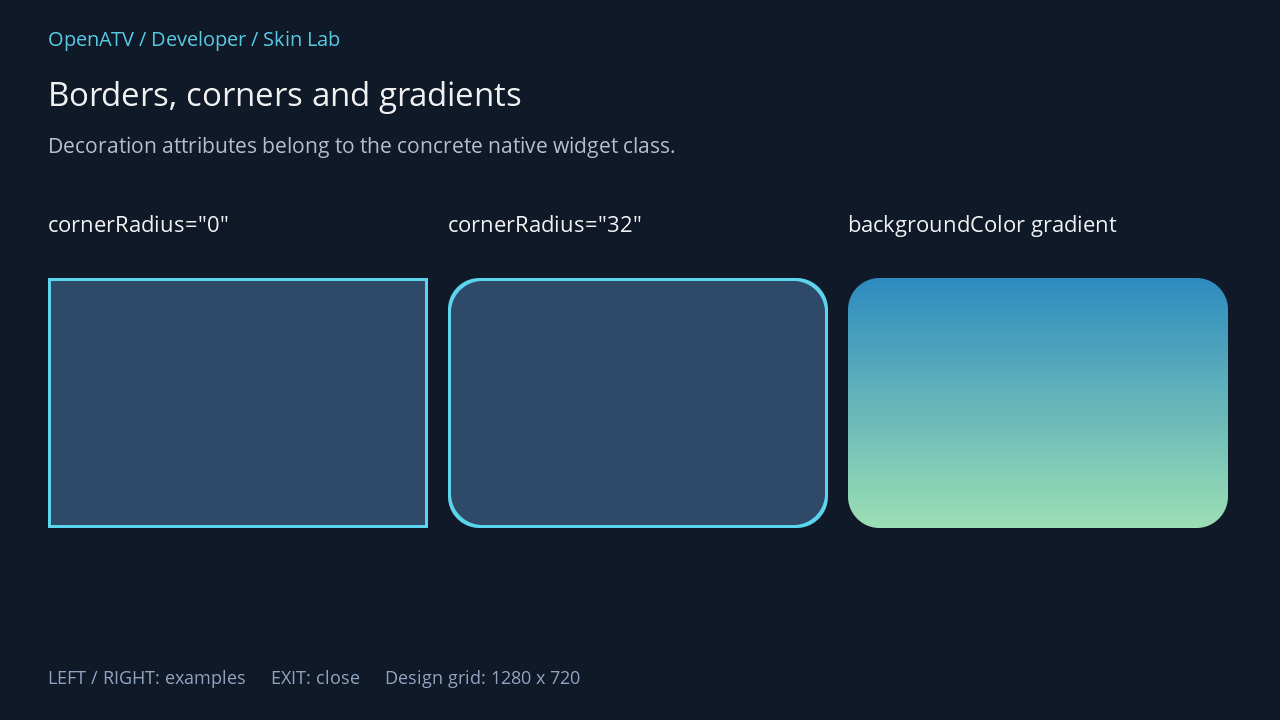
XML used for this result (inside the complete example screen):
<eLabel position="48,208" size="380,44" font="Regular;24" text='cornerRadius="0"' foregroundColor="#00FFFFFF" transparent="1" /> <eLabel position="448,208" size="380,44" font="Regular;24" text='cornerRadius="32"' foregroundColor="#00FFFFFF" transparent="1" /> <eLabel position="848,208" size="380,44" font="Regular;24" text="backgroundColor gradient" foregroundColor="#00FFFFFF" transparent="1" /> <eRectangle position="48,278" size="380,250" backgroundColor="#002F4968" cornerRadius="0" borderWidth="3" borderColor="#005BD4EC" /> <eRectangle position="448,278" size="380,250" backgroundColor="#002F4968" cornerRadius="32" borderWidth="3" borderColor="#005BD4EC" /> <eRectangle position="848,278" size="380,250" backgroundColor="#002E8BC0,#009DE0B4,vertical" cornerRadius="32" />Download complete borders.xml · Download all examples and the test plugin
Gradient syntax is startColour[,middleColour],endColour,direction[,alphaBlend]. Direction is horizontal or vertical; the optional final flag enables blending. A solid background and a gradient can both use backgroundColor in this source revision. backgroundGradient remains a deprecated alias.
cornerRadius="24;topLeft,topRight" restricts rounding to the named corners; plain 24 applies it to all corners. The attribute reference links to parseRadius() for the exact edge tokens. Avoid treating decoration attributes as universal: the native target must implement their setters.